Under 125 characters
Long enough to describe the image, short enough to read aloud.
WPCentrify lists the images with no alt text on every site you manage, fills the easy ones from their file names for free, and writes the rest with AI that reads the picture and the page it sits on. You pick one of three options, and it is saved to the media library.
Free during early access. AI descriptions use AI credits.
Updated
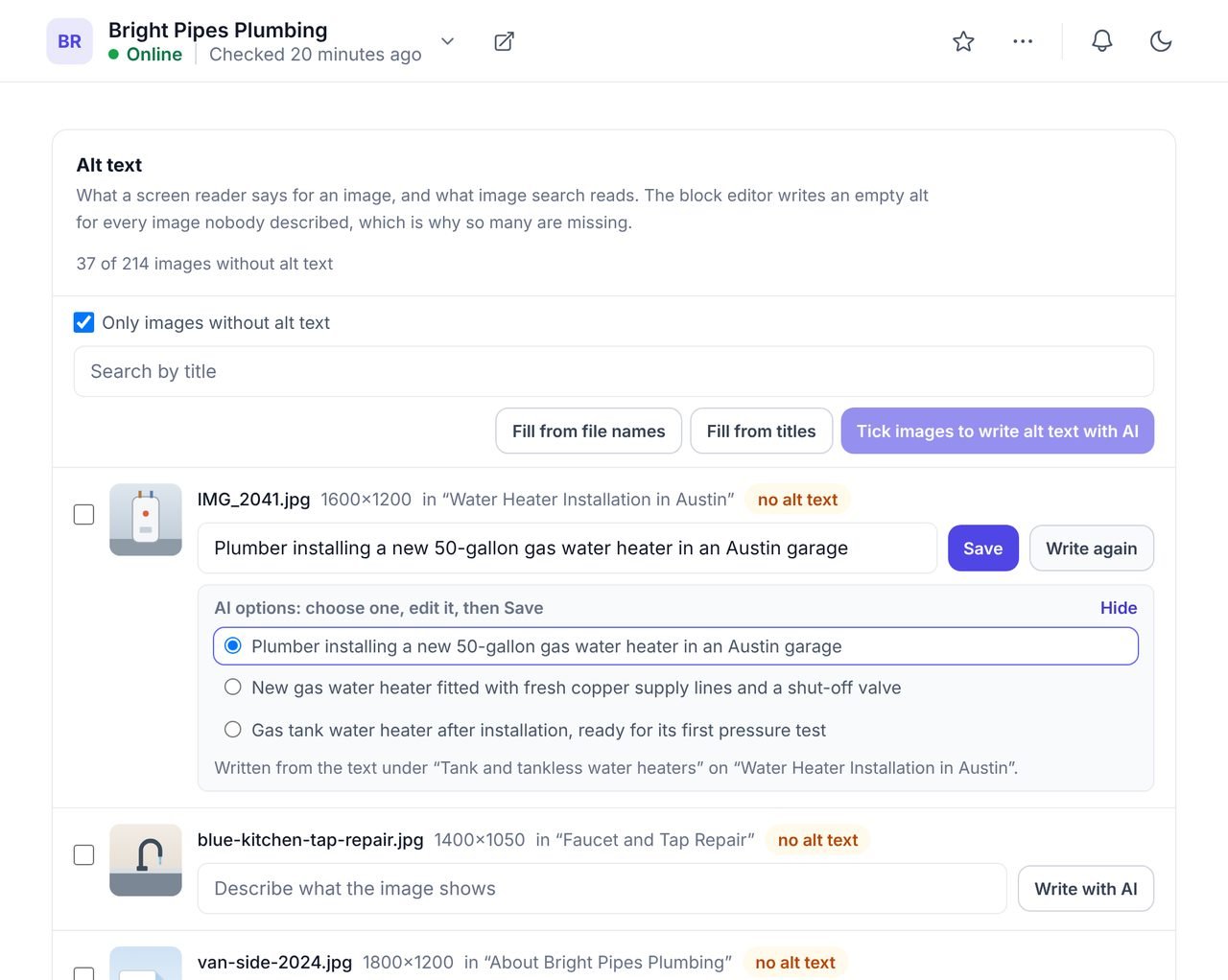
AI alt text is an image description written by AI, for the alt attribute that screen readers read aloud and search engines use to understand images. Good alt text says what the image shows in the context of its page, in a short sentence.
WPCentrify writes it for the images on every WordPress site you manage, from the picture and the words around it on its page, and saves your chosen description into the media library. No alt text plugin is needed on the site. To write page titles and meta descriptions the same way, see the AI meta title and description generator.
The same photo can need different alt text on different pages, because alt text should say what the image means where it is used.
A photo of a technician at a boiler is "Technician servicing a gas boiler" on a boiler service page, and "Our engineer Sam at work" on a page about the team. A tool that only looks at the picture writes the same thing for both.
WPCentrify finds the page an image is used on and reads the heading above it, the text either side and its caption, then looks at the picture itself. It skips menus, headers, footers and sidebars, which say nothing about the image. Each option tells you what it read: the heading and page, the page only, or nothing beyond the picture.
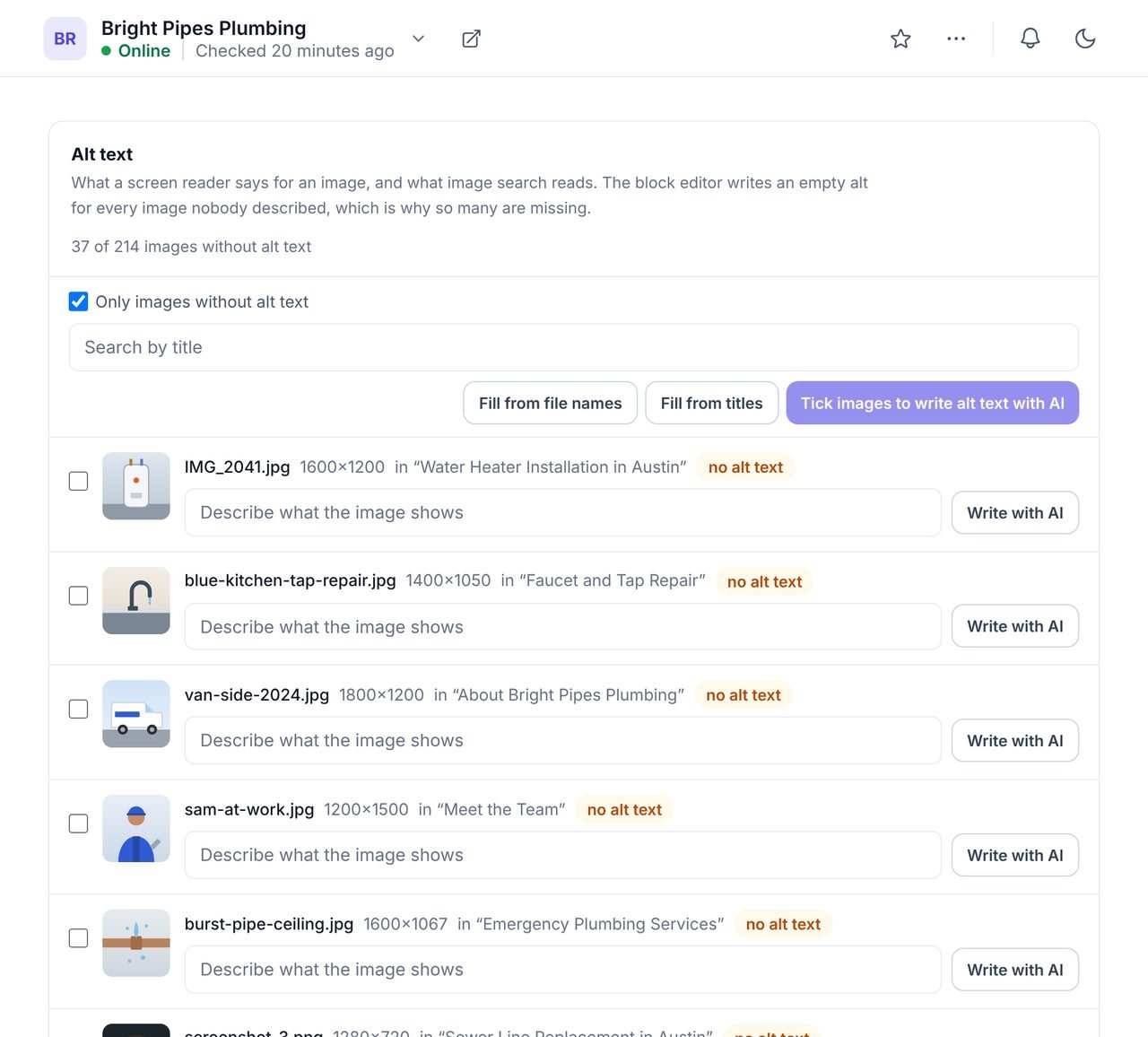
In the website's SEO tab, open Image descriptions. Images with no alt text are listed first.
Select one image or up to 20 at a time.
Each image gets three options, written from the picture and the page it is used on.
Pick the description that fits, or change any word.
The alt text is written into the image's media library field on the live site.
Many images already say what they are in their file name or title. Two free bulk fills turn those into alt text without AI.
"Fill from file names" turns blue-kitchen-tap-repair.jpg into "Blue kitchen tap repair". "Fill from titles" uses the title in the media library. Both skip meaningless names like IMG_2041 or screenshot-3, which are left for AI or for you.
Long enough to describe the image, short enough to read aloud.
Written from the picture itself, not only from the file name.
Screen readers already say it is an image.
Written from the heading and text around the image on its page.
You choose the one that is right, or edit it.
An option is only written to the site when you save it.
Alt text has two readers. A visitor using a screen reader hears it in place of the image, so without it they hear nothing, or a file name. Search engines read it to understand what an image shows, along with the text around it. Google's image SEO best practices ask for useful, descriptive alt text without stuffing it with keywords, and the W3C's alt text decision tree explains when an image needs a description and when it should be left empty.
Images with no description are one of the checks in the SEO audit, so you can see how many each site has before you start.
What people ask before they turn it on.
Yes. Google uses alt text, along with the words around an image, to understand what the image shows, and it helps images appear in Google Images. More importantly, alt text is what a screen reader says to a visitor who cannot see the image.
Short enough to read aloud in a breath. WPCentrify keeps AI-written alt text under 125 characters, which describes almost any image and stays easy to listen to.
No. An image that is only decoration, such as a background shape or a divider, should have empty alt text so a screen reader skips it. Leave those images blank rather than describing them.
Screen readers already announce that an element is an image, so "image of" or "picture of" only adds words. WPCentrify never starts a description that way.
You can select up to 20 images per press and write descriptions for each, one after another, with the options shown under each image. For images whose file names or titles already say what they show, the free bulk fills are faster.
It writes the alt text field in the media library. Themes and blocks that read alt text from the media library pick it up straight away. Where the old alt text was copied into a page when the image was placed, that copy is not changed.
Each image written with AI uses AI credits from your workspace balance. The bulk fills from file names and titles are free. WPCentrify is free during early access, and plans with their credit allowances will be announced with pricing.
Not yet. AI alt text is written in English for now.
Three checked options per field, saved into the site's SEO plugin
Read moreSee how many images have no description on every site
Read moreEvery post and page across your sites in one place
Read moreSee every tool in one place: WordPress SEO tools for every site you manage.
Connect a site and open Image descriptions. The free fills usually clear most of the list before you need AI.
Free during early access. Keep your data, export any time.