SEO content briefs made from the pages that rank today
Give WPCentrify a search or a page title, and it reads Google's first page and the pages that rank, then plans your page: how long to make it, the sections and questions to cover, the words to use, and titles and a description to choose from.
Free during early access. Briefs use AI credits.
Updated
What is a content brief generator?
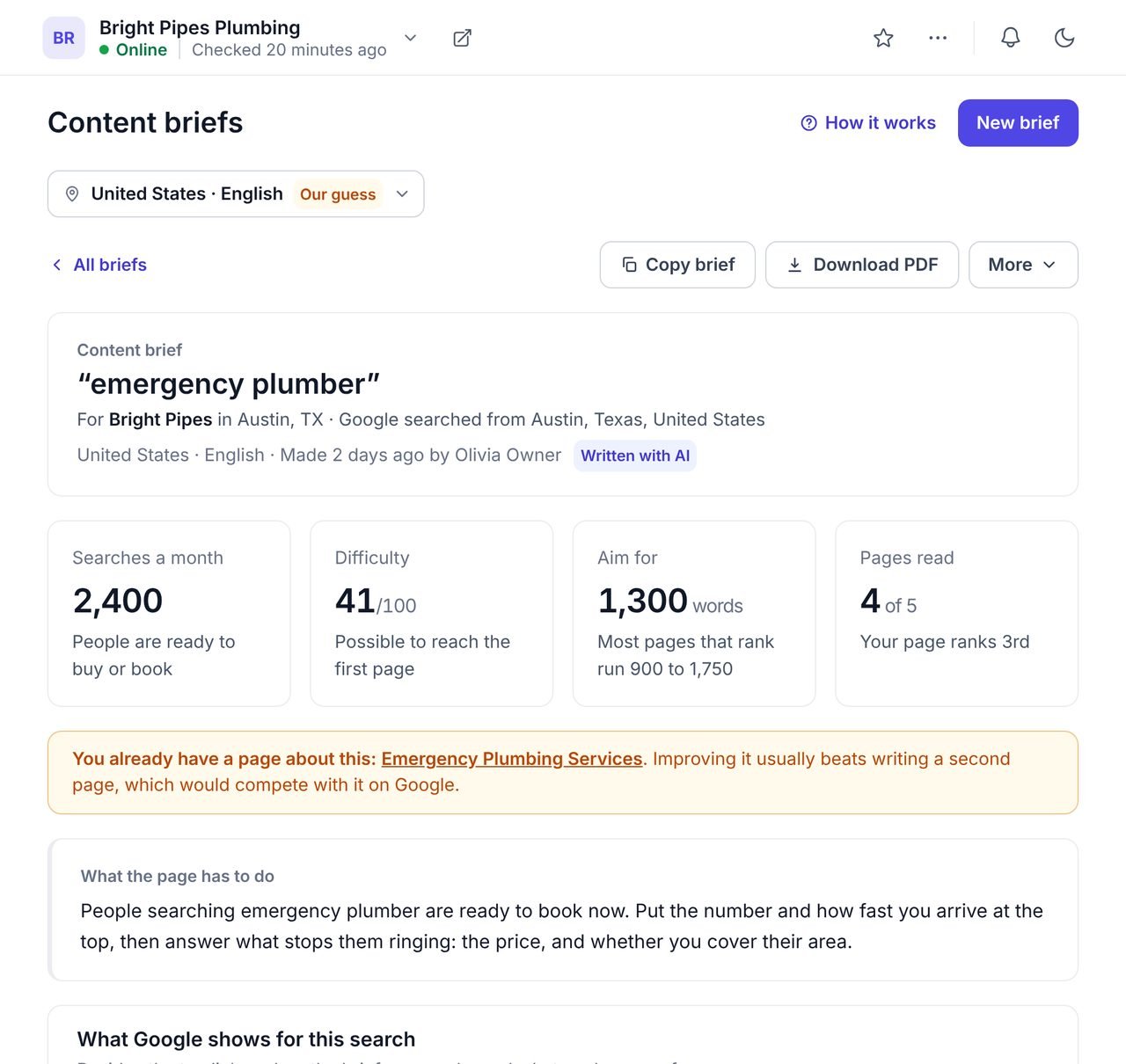
A content brief generator builds the plan for a page from the pages that already rank on Google for its search: the length, the outline, the questions and the words to use. It saves the hour of research before writing, and gives the writer a clear target.
WPCentrify's content brief generator works for every WordPress site you manage. It reads Google's first page, the related searches and up to eight of the pages that rank, plans the page for the business or for anyone, and warns you when the site already has a page about it.
Content briefs at a glance
- Start from a search, or from a page title.
- Reads Google's first page and up to eight pages that rank.
- Target length with the usual range, from the pages that rank.
- What Google shows for the search, and what it means for your page.
- Outline, questions people ask, topics and words to use.
- Title and description options sized for Google.
- Planned for the business, or general; careful mode for health, law and money.
- Copy, download as a PDF, or export the list.
What Google shows for the search, and what to do about it
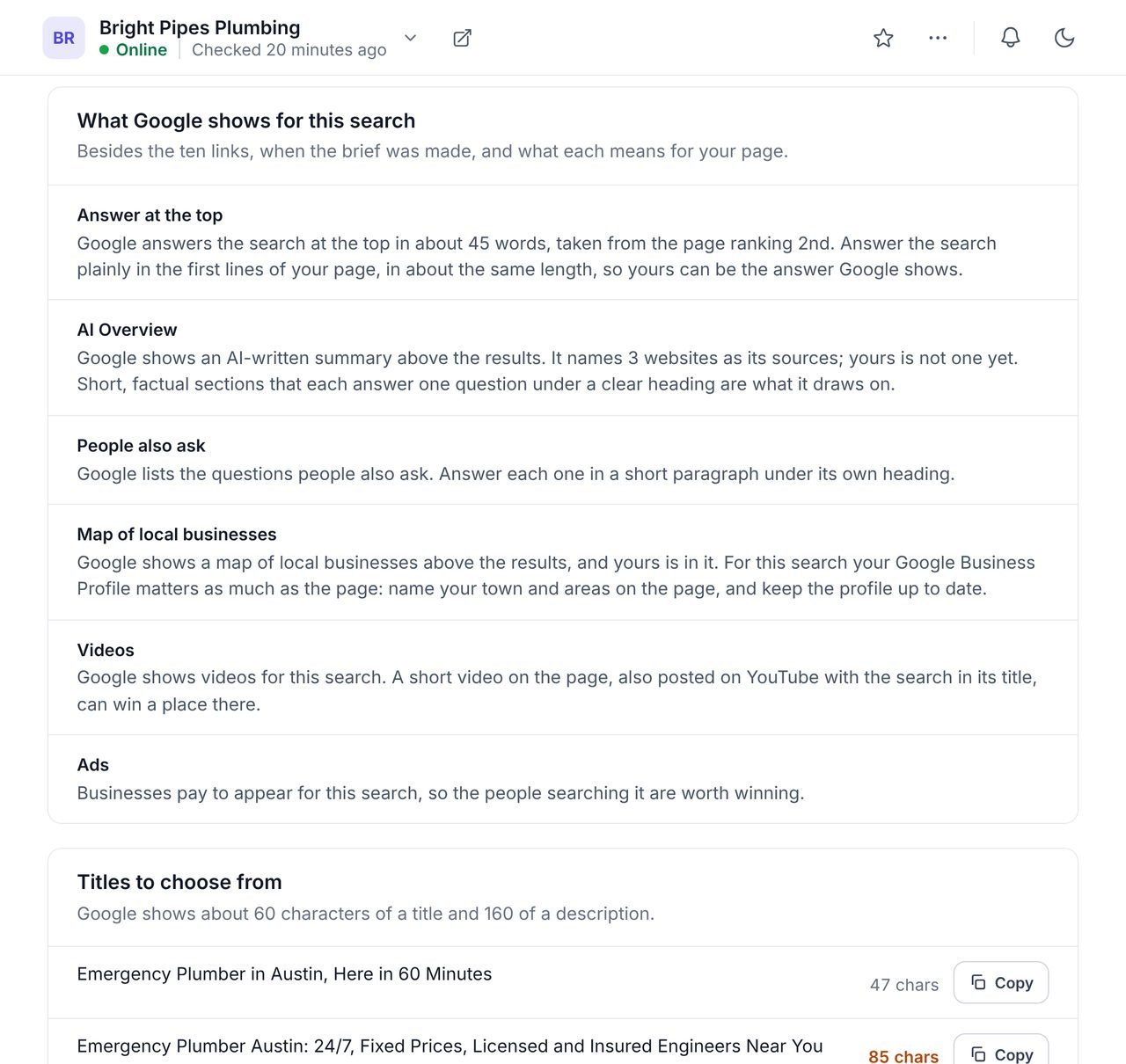
A first-page ranking means different things when Google shows an answer at the top, an AI Overview or a map above the links. The brief reads the results page and says what each part means for yours.
If Google answers the search in about 45 words at the top, the brief tells you to answer it plainly in the first lines, at about that length. If a map of local businesses sits above the results, it tells you your Google Business Profile matters as much as the page. Then it offers titles and a description sized for Google, ready to copy.
- The answer at the top, and how long it is
- AI Overview, People also ask, map, videos and ads
- Titles and a description with their character counts
- Copy any line with one press
What a content brief includes
Everything a writer needs for one page, from one search, in one document.
| Part | What it gives the writer |
|---|---|
| Target length | Words to aim for, and the range most pages that rank fall in. |
| What Google shows | An answer at the top, an AI Overview, People also ask, a map, videos or ads, and what each means for your page. |
| Titles and a description | Options sized for Google, with the character count beside each. |
| Questions people ask | From Google's People also ask, to answer under their own headings. |
| An outline | The sections to write, in order, with the questions each should answer. |
| Topics and words | The topics and words the pages that rank share, and whether your page has them yet. |
| Links from your own pages | Which of your pages should link to the new one. |
| Checks before publishing | For health, legal and money searches, what to check before the page goes live. |
Planned for the business, or general
A brief can be planned for the business the site belongs to, using its confirmed name, town, areas and services, or kept general.
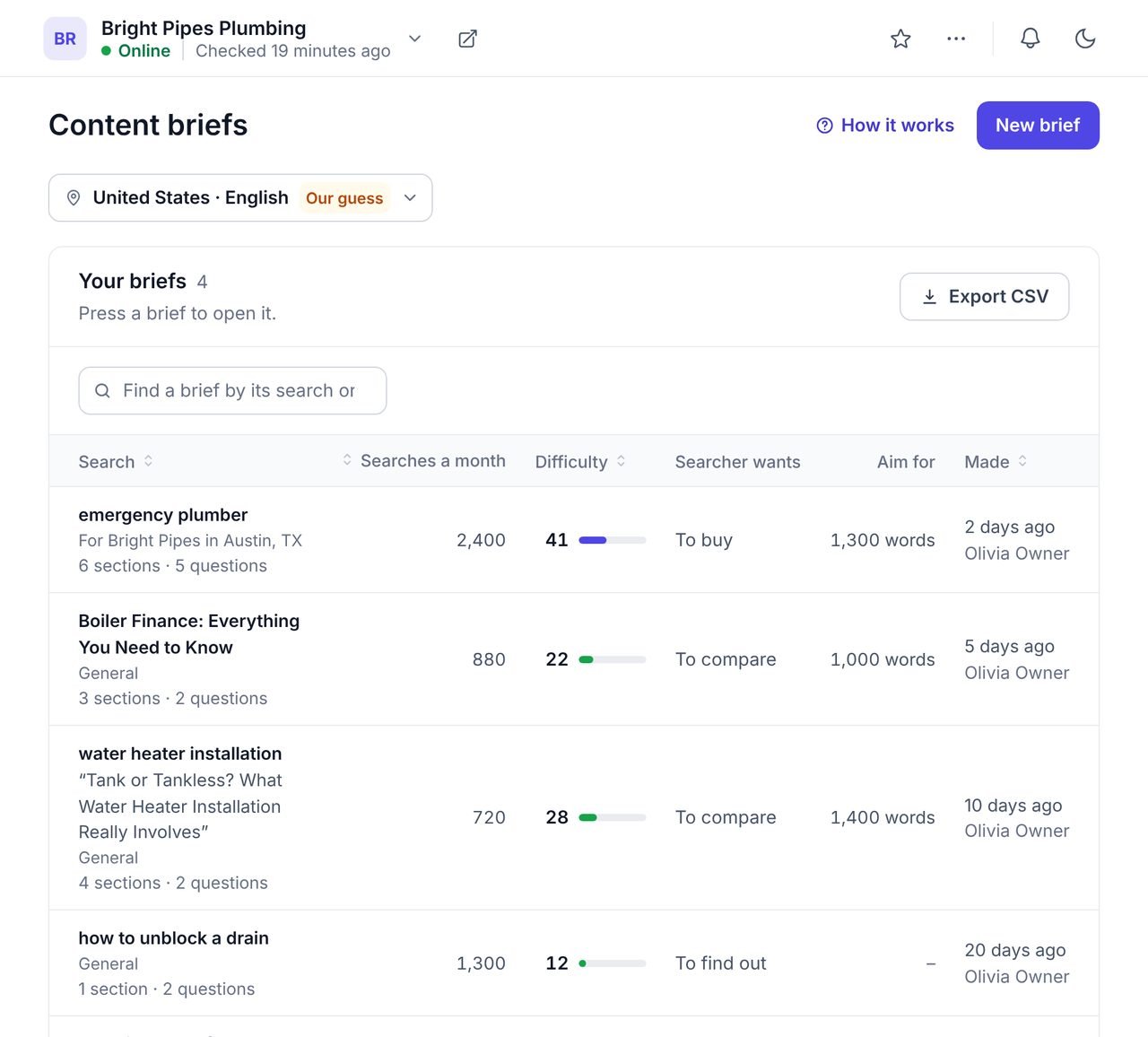
A plumber in Austin wants a page about emergency plumbing in Austin, searched from Austin, ending with a call to ring. A brief for the business does exactly that, from the details confirmed on the site's overview. A general brief plans the page for anyone. Every brief is kept on the site, with who made it and when, and opens again from the list.
- For my business: searched from its town, planned for its services
- General: for anyone who searches it
- Each brief kept with its search, length and intent
- Copy the brief, download it as a PDF, or export the list
How to write an SEO content brief
Choose the search
Start from a keyword, or type your page title and pick the plain search people type for it.
Choose who it is for
Plan it for the business, from its confirmed details, or keep it general.
Make the brief
WPCentrify reads Google's first page and up to eight pages that rank, and builds the brief.
Check it
Read the length, the outline and the questions. Note anything your page already covers.
Hand it over
Copy it into a document or download the PDF for whoever writes the page.
Why briefs come from what ranks today
Google ranks the pages that best answer a search, and the pages on its first page show what that answer looks like for that search right now: how long, which sections, which questions. A brief built from them is a starting point the writer can beat, not a template to copy.
Google's guidance on helpful, reliable, people-first content is the test every brief should pass: written for the reader, by someone who knows the subject, answering the question fully. Nothing in a brief is guessed. A page that would not open is left out of every figure, and when none could be read, the brief gives no length rather than an invented one.
Briefs sit beside the rest of the toolkit. Find the searches to plan for with keyword research or the keyword gap, watch the page climb in the rank tracker, and once it is live, write its title and meta description with AI meta descriptions. Pages that answer one question plainly near the top are also the ones AI answers cite.
What it does not do
- Write the page. It plans it; a person who knows the business writes it.
- Copy competitors. It never names a website that ranks or reuses its sentences.
- Promise a ranking. A brief makes a good page likelier, never certain.
Questions about content briefs
What people ask before they turn it on.
An SEO content brief is a plan for one page, written for whoever will write it: the search it should rank for, how long it should be, the sections and questions to cover, the words to use, and title and description options.
As long as the pages that already rank for the search, and no longer than it needs to be. WPCentrify reads the pages that rank, counts their words and gives a target with the usual range, such as about 1,300 words where most run 900 to 1,750. Length is a guide, not a ranking factor in itself.
Yes. Type the title and WPCentrify suggests the plain searches people type for it. Pick one, and the brief is made for that search and planned around your title.
The figures come from reading Google and the pages that rank: the length, the headings and the words they share. AI words the outline, the title options and the description from those facts. It never names a website that ranks, and the brief says which parts it wrote.
The brief says so and links to it. Improving the page you have usually beats writing a second one, which would compete with it on Google.
Briefs for searches about health, the law or money are planned carefully: the AI is told never to promise a result or give advice for somebody's own situation, any line that does is taken out, and the brief lists checks to make before the page goes live.
Plans will include a number of briefs each month, and after those a brief uses AI credits from your workspace balance. The same search within a week opens the brief already made, for nothing, and opening, copying and downloading briefs is free. WPCentrify is free during early access.
Related AI and SEO tools
Keyword research
Find the searches worth a page
Read moreKeyword gap
The searches competitors win that a site does not
Read moreAI meta descriptions
Write the title and description once it is live
Read moreSee every tool in one place: WordPress SEO tools for every site you manage.
Give every writer a plan before they start
Connect a site, pick the search that matters most this month and make its brief.
Free during early access. Keep your data, export any time.