AI Overview
Whether Google shows one for the keyword, and whether it names your site as a source.
See where each site ranks on Google for the keywords that matter, from the city its customers search in, on a phone or a computer. Checks run daily or weekly on their own, and you get an email when a keyword reaches or leaves the first page.
Free during early access. Rank checks use AI credits.
Updated
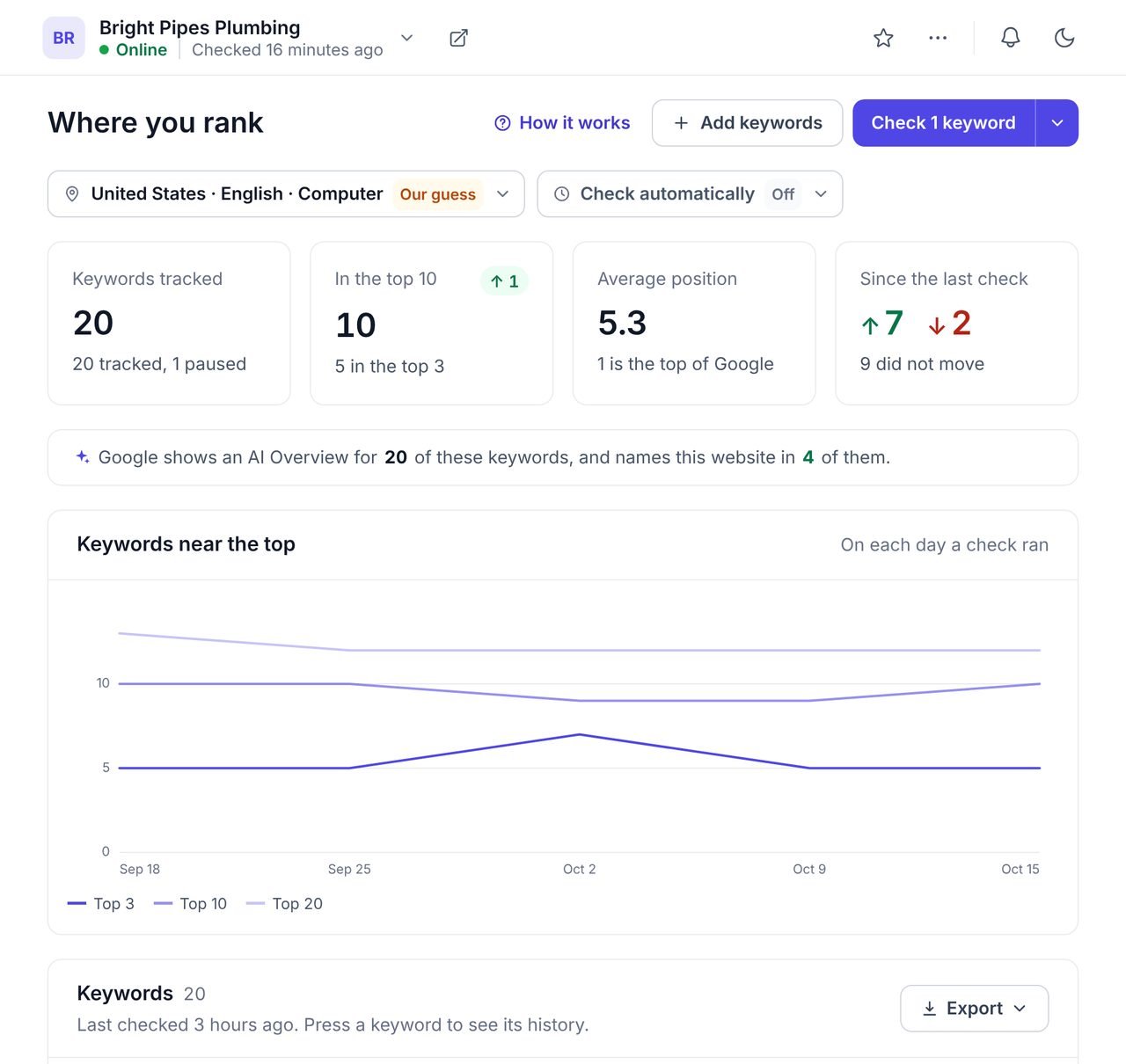
A rank tracker checks where a website appears in Google for chosen keywords, and records how those positions change over time. It answers the question every client asks: are we going up or down on Google?
WPCentrify's rank tracker runs real Google searches for every WordPress site you manage, from the country and city you choose, and keeps each site's history in one dashboard. It needs no plugin on the site, and it works beside whatever SEO plugin the site already runs.
Every rank check is a real Google search, made from the country and city you choose, as a phone, a computer or both.
A national average says little to a business that serves one town. Pick the market once per site and every check after that uses it. Each keyword shows its position, how far it moved since the last check, how many people search it each month and the page that ranks.
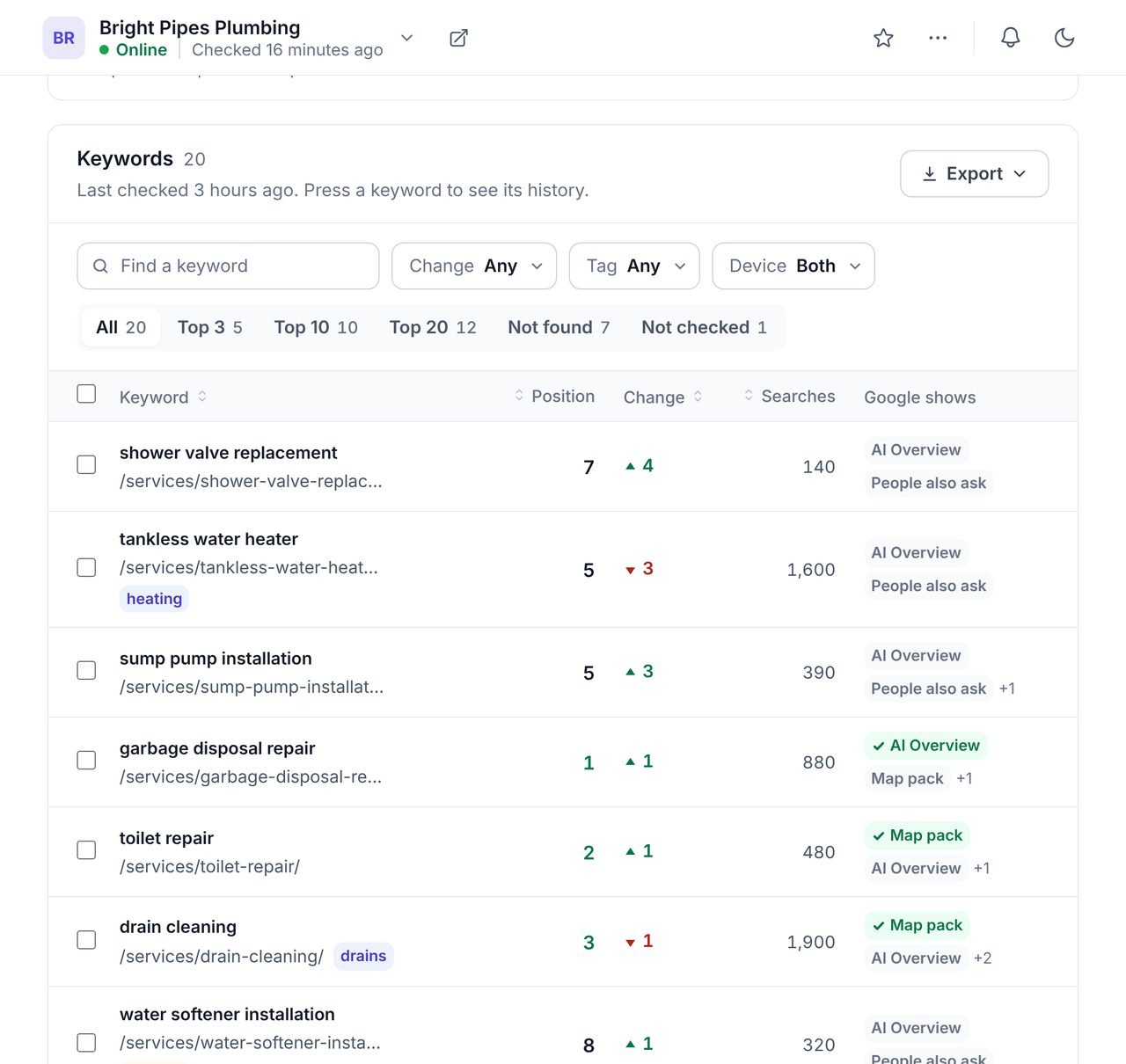
Switch on automatic checks per site, choose daily or weekly and the hour, and WPCentrify runs them for you.
You decide how far down Google to look and which moves are worth an email. The emails go only to the people your workspace alert settings choose:
A move between 10th and 11th alone is not news, so a keyword has to move at least two places to count. If the balance runs out, a check is skipped, nothing is charged, and it tries again every hour.
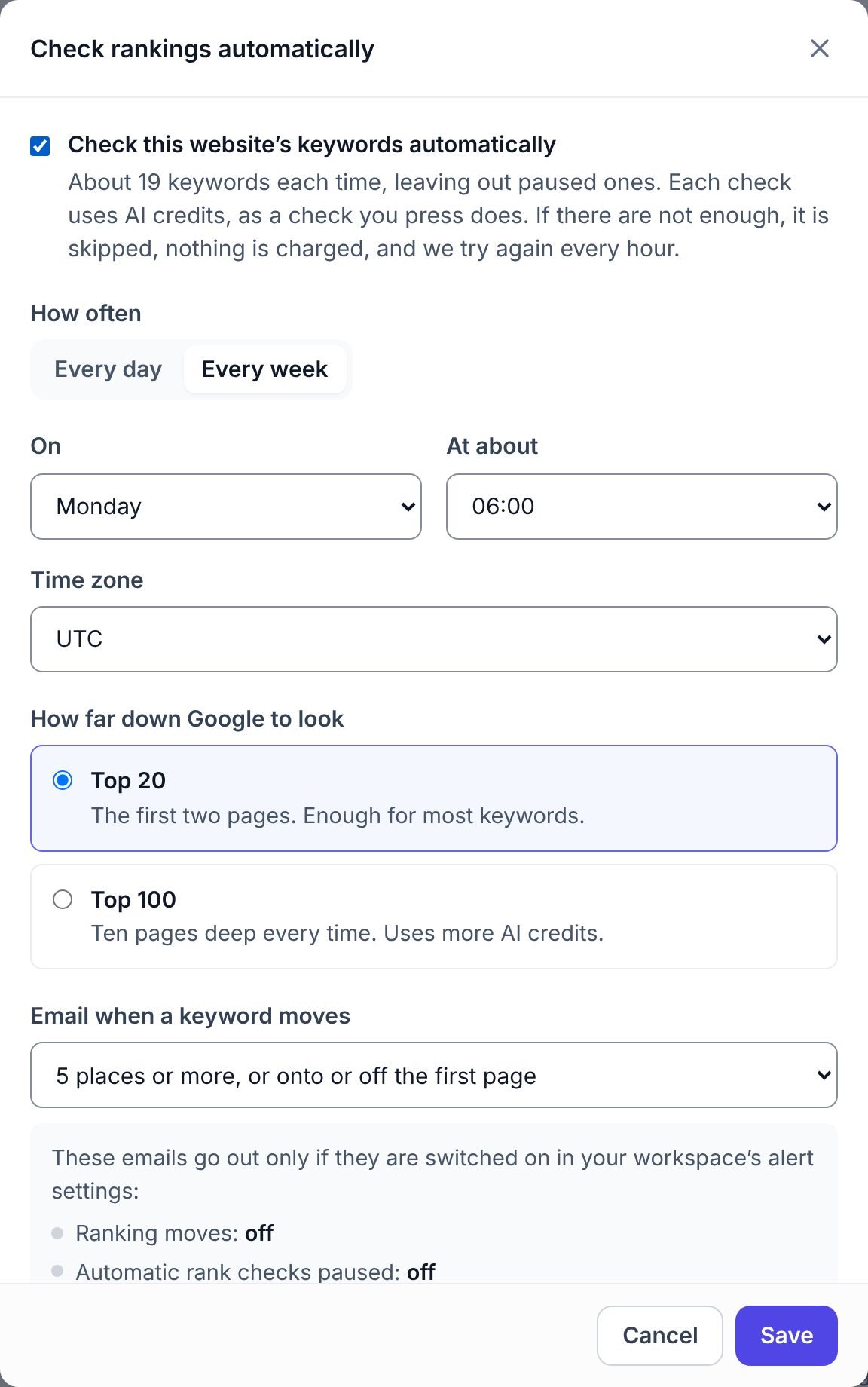
A first-place ranking under an AI Overview and a map pack gets fewer clicks than the same place on a plain page. The rank tracker notes what else is on the page.
Whether Google shows one for the keyword, and whether it names your site as a source.
The local map with three businesses, common for service searches.
A quoted answer at the top of the page, and whose page it came from.
The questions Google expands under the results.
Where up to three competitors you choose sit for the same keyword, at no extra cost.
Each keyword's position over time, from every check that ran.
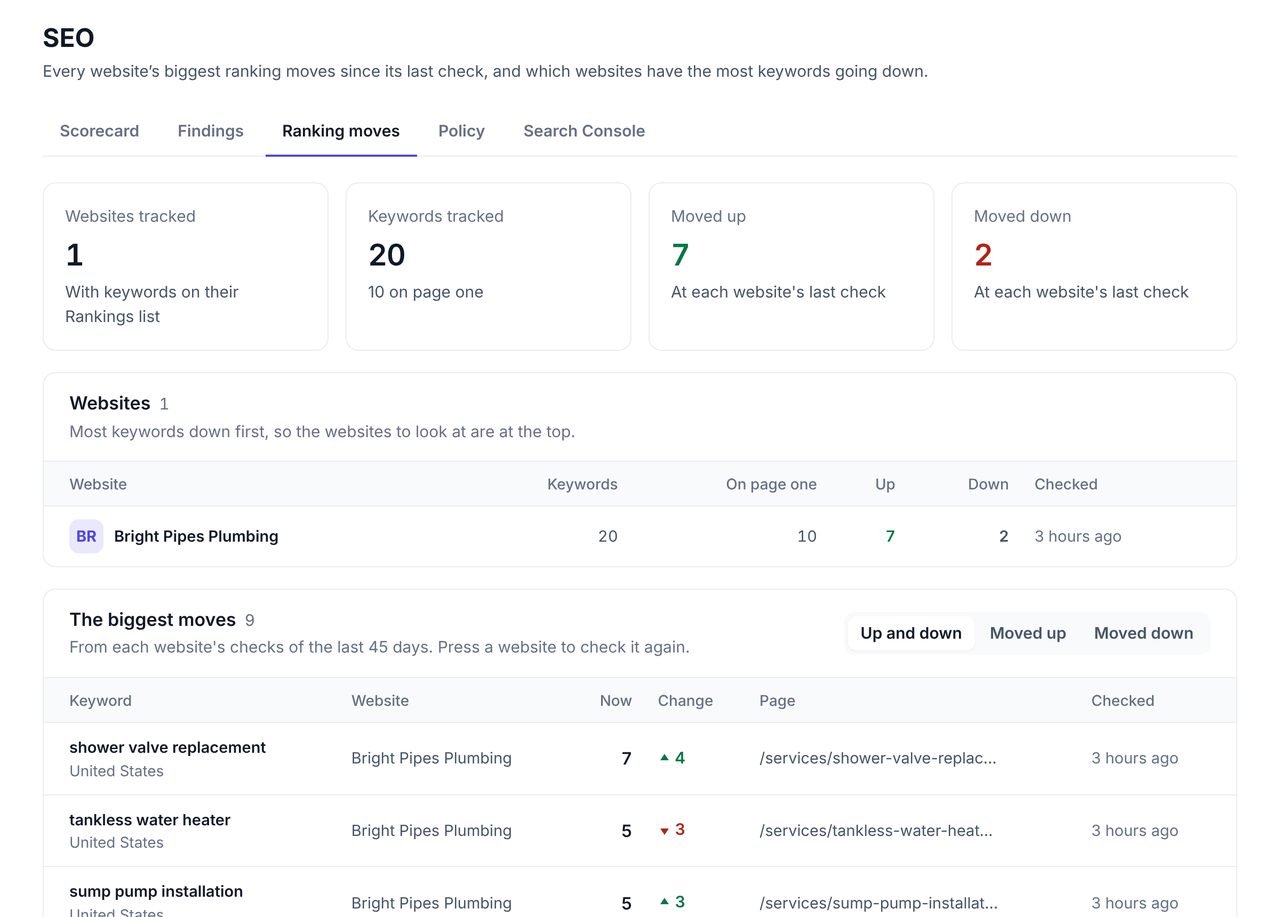
The Ranking moves view puts every site with tracked keywords on one screen, with the sites losing the most keywords first.
Open it on Monday morning and you know which client to look at before anyone emails you. Each move links to the keyword and the page, so you can see whether a page changed, a competitor arrived or Google added an AI Overview. To see whether a site is easy for Google to reach at all, pair it with the SEO audit.
Google Search Console reports an average position: the mean of every position a page held across every search that showed it, from everywhere and on every device, over the dates you pick. A rank check is one search, made from one place on one device at one moment. So a page can average 8.4 in Search Console and sit at 3 in Austin on a phone.
Use both. Search Console tells you which searches already bring people and how many clicks they earn; see Search Console for every site. The rank tracker tells you where you stand for the searches you care about, in the place your customers search from, including ones that bring no clicks yet.
Add keywords by typing or pasting them, from the searches a site already gets in Search Console, or from keyword research. Tag them by service or location to filter and compare groups. Rankings also feed the site's white label client report, so the monthly report shows what moved without anyone copying numbers across.
What people ask before they turn it on.
Weekly is enough for most sites, because rankings move slowly and a single day often reflects noise. Check daily for keywords that earn money, during a launch, or after a big change to the site. WPCentrify checks every day or every week at the hour you choose, or whenever you press Check.
Search Console reports the average position a page held across every search that showed it, in every place and on every device, over a date range. A rank check is one search, from one place on one device, at one moment. Both are right; they answer different questions.
Yes. Each check is made from the country you choose, and you can narrow it to a city, so a plumber in Austin sees Austin results rather than a national average. You can check as a phone, as a computer, or both.
No. Rank checks are Google only. Bing, Yahoo and other engines are not checked.
The top 20 by default, which is the first two pages of Google. You can look at the top 100 instead for keywords that are still far from the first page; a deeper check uses more AI credits.
If you want one. Automatic checks can email you when a keyword moves 3, 5 or 10 places or more, or moves onto or off the first page. A keyword that only swaps between 10th and 11th is left out. The emails are off until somebody switches them on.
Yes. For each keyword it notes what else Google shows on the results page, such as an AI Overview, a map pack, a featured snippet or People also ask, and whether the AI Overview names the site.
Each check uses AI credits from your workspace balance, and an automatic check that would run over the balance is skipped rather than charged. WPCentrify is free during early access, and plans with their allowances will be announced with pricing.
Find the keywords worth tracking, with searches and difficulty
Read moreClicks and impressions with the pages to fix first
Read moreMap rankings across a grid of points, and Google reviews
Read moreSee every tool in one place: WordPress SEO tools for every site you manage.
Connect a site, add the keywords that bring it business and switch on weekly checks.
Free during early access. Keep your data, export any time.