Block AI training crawlers on every WordPress site, keep AI search
One switch asks 23 AI training crawlers, including GPTBot, ClaudeBot and CCBot, to stay away from every WordPress site you manage. The bots that find and cite your pages in ChatGPT search, Perplexity and Claude stay allowed, so you keep the visibility and lose only the training.
Free during early access.
Updated
Should you block AI crawlers on WordPress?
Block AI training crawlers if you do not want your pages used to train AI models, but keep AI search crawlers allowed if you want to be cited in AI answers. They are different bots, run for different jobs, and blocking one does not block the other.
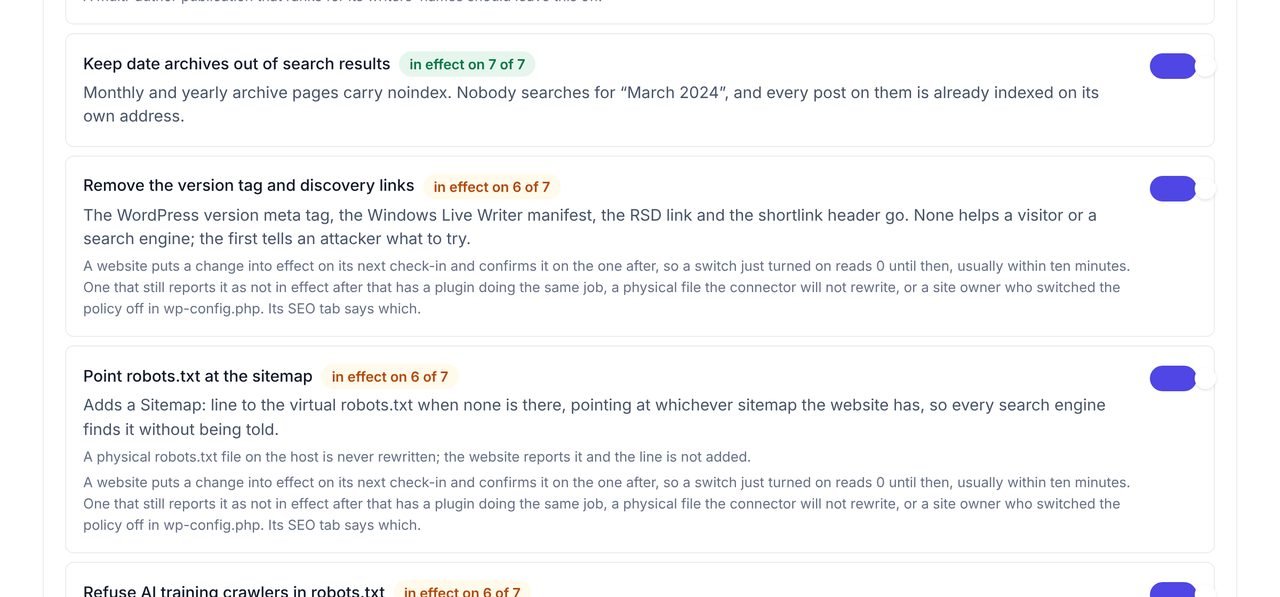
WPCentrify draws that line for you. A single switch in the SEO policy adds the training crawlers to the robots.txt of every WordPress site you manage, leaves search engines and AI search bots alone, and the daily outside check reads each site's live robots.txt so you can see what it refuses today. For the rest of the SEO policy and the audit behind it, see the SEO audit.
AI crawler control at a glance
- One switch refuses 23 AI training crawlers on every connected site.
- AI search bots (OAI-SearchBot, PerplexityBot, Claude-SearchBot) and user fetchers stay allowed.
- Googlebot and Bingbot are never touched, so search rankings are unaffected.
- Lines are added to the robots.txt WordPress serves; a physical robots.txt file is never rewritten.
- A daily outside check reads each site's live robots.txt.
- Off until you turn it on; a site owner can opt their site out in wp-config.php.
- Traffic analytics counts visits from AI assistants as their own channel.
Training bots, AI search bots and user fetchers: the kinds that matter
Blocking "AI bots" as one group is how sites disappear from AI answers by accident. Each AI company runs separate bots for separate jobs, and says so in its own documentation.
| Kind of bot | What it does | Examples | WPCentrify |
|---|---|---|---|
| Training crawlers | Collect pages that may be used to train AI models. | GPTBot, ClaudeBot, CCBot, the Google-Extended and Applebot-Extended tokens | Refused by the WPCentrify switch |
| AI search crawlers | Find pages to show and link to in AI search answers. | OAI-SearchBot, PerplexityBot, Claude-SearchBot | Left alone |
| User fetchers | Open a page because a person asked an AI assistant about it. | ChatGPT-User, Perplexity-User, Claude-User | Left alone |
| Search engines | Crawl for normal search results, including Google's AI Overviews. | Googlebot, Bingbot, Applebot | Left alone |
Sources: OpenAI's overview of its crawlers, Anthropic's crawler help page, Perplexity's bot documentation and Google's common crawlers list.
What the WPCentrify switch adds to robots.txt
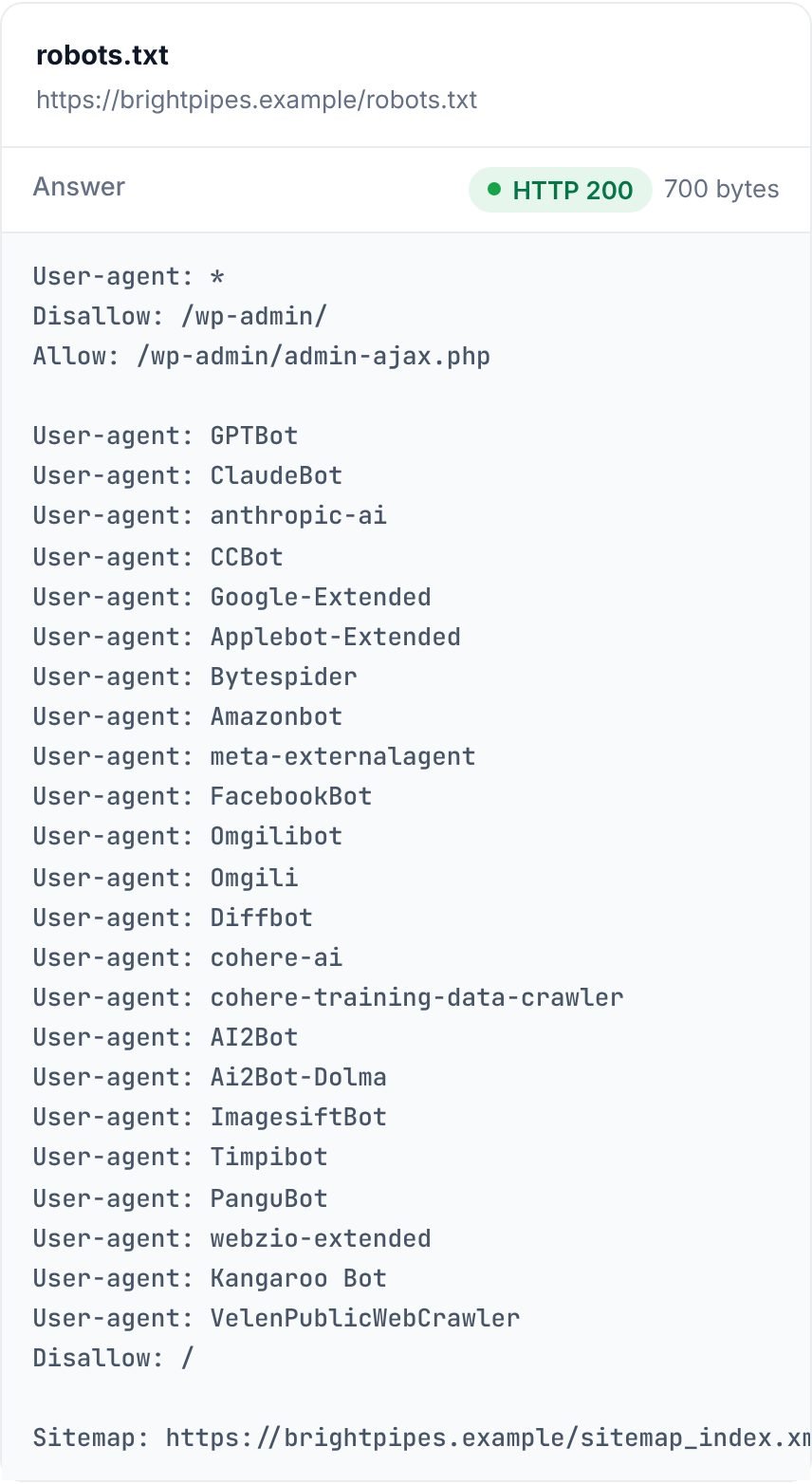
Turn on "Refuse AI training crawlers in robots.txt" once, and every connected site you manage asks these 23 training crawlers to stay away:
- GPTBot
- ClaudeBot
- anthropic-ai
- CCBot
- Google-Extended
- Applebot-Extended
- Bytespider
- Amazonbot
- meta-externalagent
- FacebookBot
- Omgilibot
- Omgili
- Diffbot
- cohere-ai
- cohere-training-data-crawler
- AI2Bot
- Ai2Bot-Dolma
- ImagesiftBot
- Timpibot
- PanguBot
- webzio-extended
- Kangaroo Bot
- VelenPublicWebCrawler
The lines are added to the robots.txt WordPress serves, beside whatever the site already has. The switch is off until you turn it on, and the list is kept up to date by WPCentrify, so a new training crawler is added for every site at once.
Which bots it leaves alone, and why
The switch refuses only crawlers that collect pages for training. These stay allowed, because they are how a site is found and cited:
- OAI-SearchBot
- ChatGPT-User
- PerplexityBot
- Perplexity-User
- Claude-SearchBot
- Claude-User
- Googlebot
- Bingbot
- Applebot
OpenAI says OAI-SearchBot is used to surface websites in ChatGPT search, and that to appear there a site should allow it. Perplexity says PerplexityBot surfaces and links websites in its search results and is not used to train foundation models. Anthropic says blocking Claude-SearchBot may reduce a site's visibility in its search results. Google says AI Overviews and AI Mode use the normal Googlebot crawl.
See what each site's robots.txt really says
The daily "Can Google find it?" check reads each site's live robots.txt from outside, the way a crawler does, so you see exactly which bots it refuses, whether or not WPCentrify added the lines.
That catches the site where a developer pasted a block list two years ago that also refuses OAI-SearchBot, or a security plugin that blocks more than anyone meant. Part of the SEO audit for every site you manage.
robots.txt is a request, not a lock
A robots.txt file tells crawlers what the site owner wants. OpenAI, Anthropic, Google, Perplexity and Apple say their crawlers follow it. Bots that fetch a page because a person asked an assistant about it may not: OpenAI says robots.txt rules may not apply to ChatGPT-User, and Perplexity says Perplexity-User generally ignores them. Badly behaved scrapers ignore robots.txt entirely.
Blocking at the server, a firewall or a CDN is a stronger tool, but it is also how sites block crawlers they wanted. Some hosting firewalls rate-limit or refuse known AI crawlers by default, so a site can be blocked without its robots.txt saying so. If AI search matters to you, check both.
How to block AI training crawlers by hand
To do the same on a site without WPCentrify, add these lines to its robots.txt. Bots not named here, including Googlebot, Bingbot and the AI search bots, are not affected.
User-agent: GPTBot
User-agent: ClaudeBot
User-agent: anthropic-ai
User-agent: CCBot
User-agent: Google-Extended
User-agent: Applebot-Extended
User-agent: Bytespider
User-agent: Amazonbot
User-agent: meta-externalagent
User-agent: FacebookBot
User-agent: Omgilibot
User-agent: Omgili
User-agent: Diffbot
User-agent: cohere-ai
User-agent: cohere-training-data-crawler
User-agent: AI2Bot
User-agent: Ai2Bot-Dolma
User-agent: ImagesiftBot
User-agent: Timpibot
User-agent: PanguBot
User-agent: webzio-extended
User-agent: Kangaroo Bot
User-agent: VelenPublicWebCrawler
Disallow: /
See visits from ChatGPT, Perplexity and Gemini
Blocking training is half the story; the other half is whether AI search sends you people. WPCentrify traffic analytics counts visits from AI assistants as their own channel, so a visitor who clicked a link in ChatGPT, Perplexity, Copilot, Gemini or Claude is not lost among referrals. To see whether Google AI Overviews and ChatGPT cite a site in their answers, see AI search visibility.
Questions about AI crawlers
What people ask before they turn it on.
No. OpenAI uses separate bots: GPTBot collects content that may be used to train its models, while OAI-SearchBot finds pages to show and cite in ChatGPT search. Blocking GPTBot while allowing OAI-SearchBot keeps a site eligible for ChatGPT search results.
No. Google says Google-Extended controls whether your content is used to train and ground its Gemini models, and that it does not affect inclusion or ranking in Google Search. AI Overviews and AI Mode use the normal Googlebot crawl, and are controlled with snippet settings such as nosnippet, not with Google-Extended.
Not in Google or Bing. Search engines crawl with their own bots, which WPCentrify leaves alone, and the AI search bots that cite pages in ChatGPT, Perplexity and Claude stay allowed too. What you give up is having future pages used to train AI models.
Most businesses that block anything block the training crawlers and keep the search bots. Training crawlers take your pages to build models and send no visitors back; AI search bots are how your pages get cited, with a link, in AI answers.
Robots.txt is a request, not a lock. The major AI companies say their crawlers follow it, but bots that fetch a page because a person asked for it may not, and badly behaved bots ignore it. Blocking at the server or CDN is a different tool, with its own risk of blocking bots you wanted.
Not for Google. Google says its search does not use llms.txt, and no major AI search engine has said it uses it for ranking or citations. WPCentrify does not generate one.
The switch is one setting for the whole workspace, so every connected site follows it. A site owner can switch the SEO policy off on their own site with one line in wp-config.php, and that site then keeps its own robots.txt.
WordPress only builds its own robots.txt when there is no robots.txt file on the server. If a site has one, the switch cannot add lines to it, and the dashboard shows that the policy is not in effect on that site so you can add the lines by hand.
Related AI and SEO tools
AI search visibility
See whether Google AI Overviews and ChatGPT cite your sites
Read moreSEO audit
The daily outside check and one SEO policy for every site
Read moreTraffic analytics
Visits from AI assistants counted as their own channel
Read moreSee every tool in one place: WordPress SEO tools for every site you manage.
Decide once which AI bots may read your sites
Connect your sites, turn on one switch, and every site follows. The daily check shows you it is in effect.
Free during early access. Keep your data, export any time.