3 by 3, 5 by 5 or 7 by 7
Points spaced in kilometres or miles, checked as a phone or a computer.
For businesses that serve a town, the map matters as much as the website. WPCentrify checks a search from a grid of points around the business, shows where it is in the top 3 and who shows above it, and keeps its Google reviews and the ones waiting for a reply in view.
Free during early access. Map checks and review checks use AI credits.
Updated
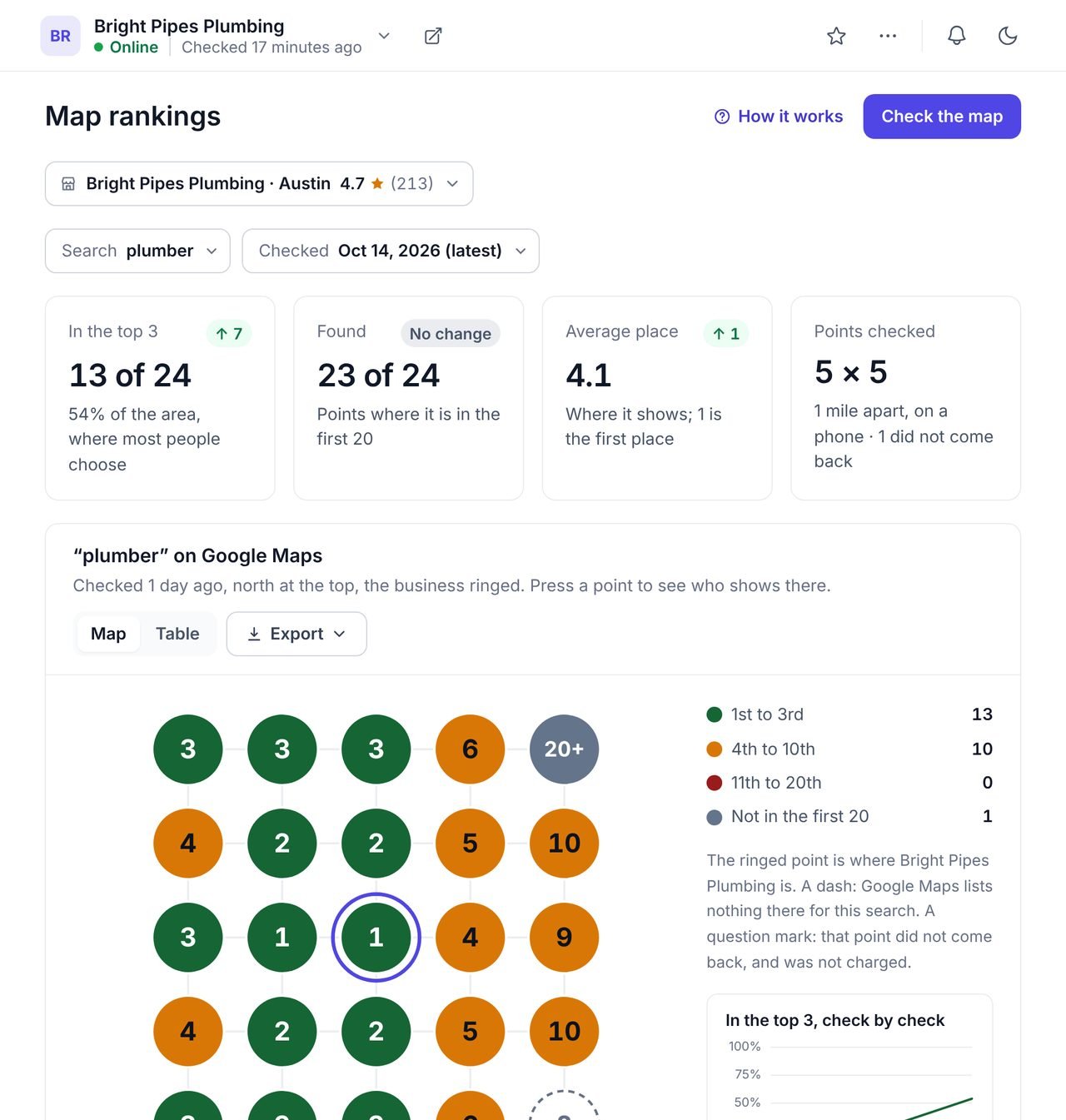
A local rank tracker shows where a business appears in Google Maps results for a search, from many points across the area it serves. Because Google Maps favours places near the person searching, one position for a whole town hides most of the picture.
WPCentrify checks local rankings for the businesses behind the WordPress sites you manage. It draws a grid of 3 by 3, 5 by 5 or 7 by 7 points around each business, records its place at every point, and keeps the history. Its Google reviews sit beside it, with the ones waiting for a reply.
Each point on the grid is what somebody standing there would see if they searched. The colours show the area the business wins and the area it does not.
Points spaced in kilometres or miles, checked as a phone or a computer.
The places most people choose from, and the map box Google shows above the results.
Press a point to see the businesses ranking there, with a link to that spot on Google Maps.
The share of the area in the top 3, over every check with the same points.
A dash means Google lists nothing there. A point that did not come back shows a question mark and is not charged.
Read it as a map or a table, and export it as a CSV or a PDF for the client.
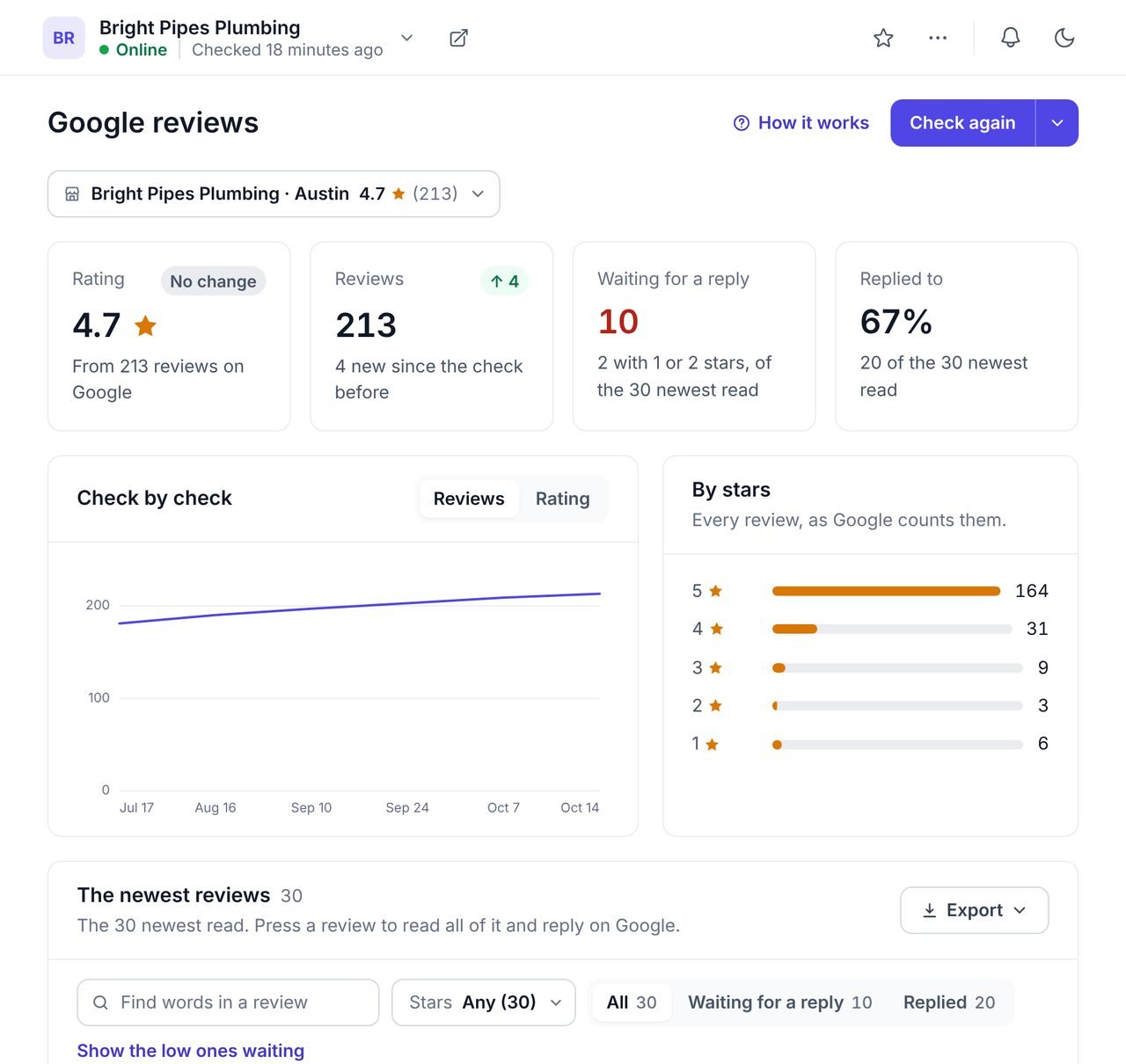
Every review check keeps the business's rating and number of reviews, and reads the newest reviews with the business's replies.
A reply shows under the review for everybody who reads it, and the next customer reads the reply more than the review. "Waiting for a reply" lists the reviews nobody has answered yet, with the low ones first, and "Show the low ones waiting" filters to them in one press. Each review links to Google, where you reply.
Search for it by name and town and choose it. It is followed by Google's own id for the place, not by its name.
Use the words a customer would type, such as "plumber" or "dentist near me".
Pick 3 by 3, 5 by 5 or 7 by 7 points and a spacing that matches the area served.
Green is the top 3. Press the points where the business drops to see who shows instead.
Use the same points next month and compare the share of the area in the top 3.
Google says local results depend on relevance, distance and prominence: how well a business matches the search, how near it is to the person searching, and how well known it is. Its guidance for businesses comes down to a few things you control:
The map grid shows whether that work is spreading the area where the business wins. For rankings in Google's ordinary results from a city, use the rank tracker; to plan a service page for a local search, use a content brief, which notes when Google shows a map for the search. To see the searches a nearby competitor wins, use the keyword gap.
What people ask before they turn it on.
A geo grid rank tracker checks where a business shows on Google Maps for a search from a grid of points around it, as if somebody stood at each point and searched. It shows the area where the business is in the top 3 and where it disappears.
Google Maps puts nearby places first, so a business can be first on its own street and missing a mile away. Google ranks local results by how well a business matches the search, how near it is and how well known it is.
Choose 3 by 3, 5 by 5 or 7 by 7 points, with the spacing about the size of the area the business serves. A shop people walk to wants points close together; a business that drives to its customers wants them further apart. Compare checks made with the same points.
Yes. Press any point to see the businesses that show there, in order, with a link to that spot on Google Maps.
No. It shows the reviews and which ones are waiting for a reply, and links to each on Google, where you reply. It never writes anything to Google.
The newest 20 at each check, or the newest 100 when you ask for a fuller picture. The rating and the total number of reviews come from Google itself, so they count every review.
Each map check uses AI credits for each point checked, and a point that does not come back is not charged. A review check uses AI credits for the reviews read. The same check within a few hours opens again for free. WPCentrify is free during early access, and plans will be announced with pricing.
Google rankings from a city, on a phone or a computer
Read morePlan the service page for a local search
Read moreMap rankings and Google reviews in the monthly white label report
Read moreSee every tool in one place: WordPress SEO tools for every site you manage.
Connect a site, find the business and check the search that brings it customers.
Free during early access. Keep your data, export any time.