Pages, not keywords
Each row is a page a competitor publishes, with its estimated visits.
A keyword gap lists hundreds of searches, but you plan pages, not keywords. WPCentrify shows the pages that bring your competitors the most search visits, holds each against your own published pages, and turns the missing ones into a content brief.
Included on Studio and up, or with Search Growth Starter on Solo. Reading competitors' pages uses AI credits.
Updated
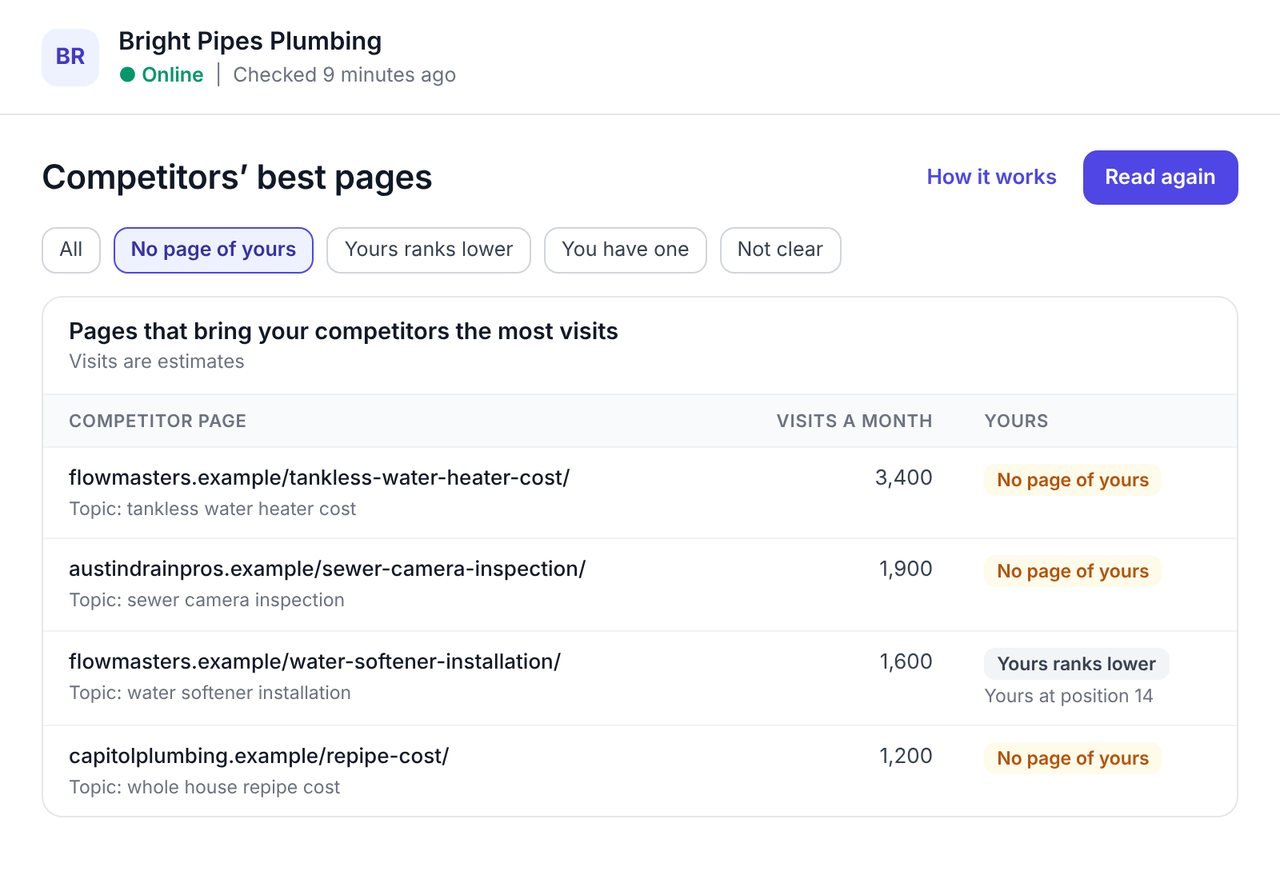
A content gap analysis finds the topics your competitors cover and you do not. WPCentrify does it page by page: it reads the pages that bring your competitors the most search visits and shows which have no page of yours beside them.
A competitor's twenty best pages say more about what to write next than three hundred keywords do. Each of their pages is held against your own published pages, so "missing" really means missing, and every missing page is one press from a content brief.
Visits are estimates, and the screen says so.
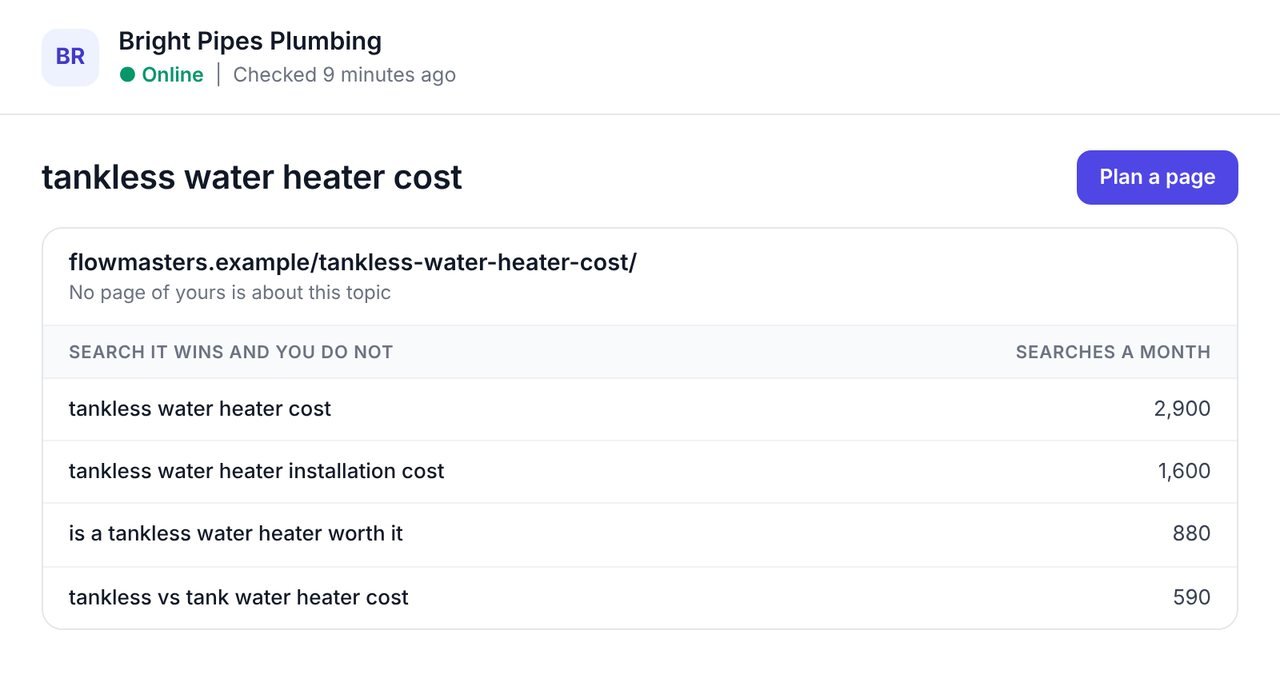
Open a missing page to see the searches it wins and you do not, with how many people make each search a month.
That is the case for writing the page, in numbers a client understands. Press Plan a page, or Plan a better page where yours ranks lower, and a content brief opens for that topic.
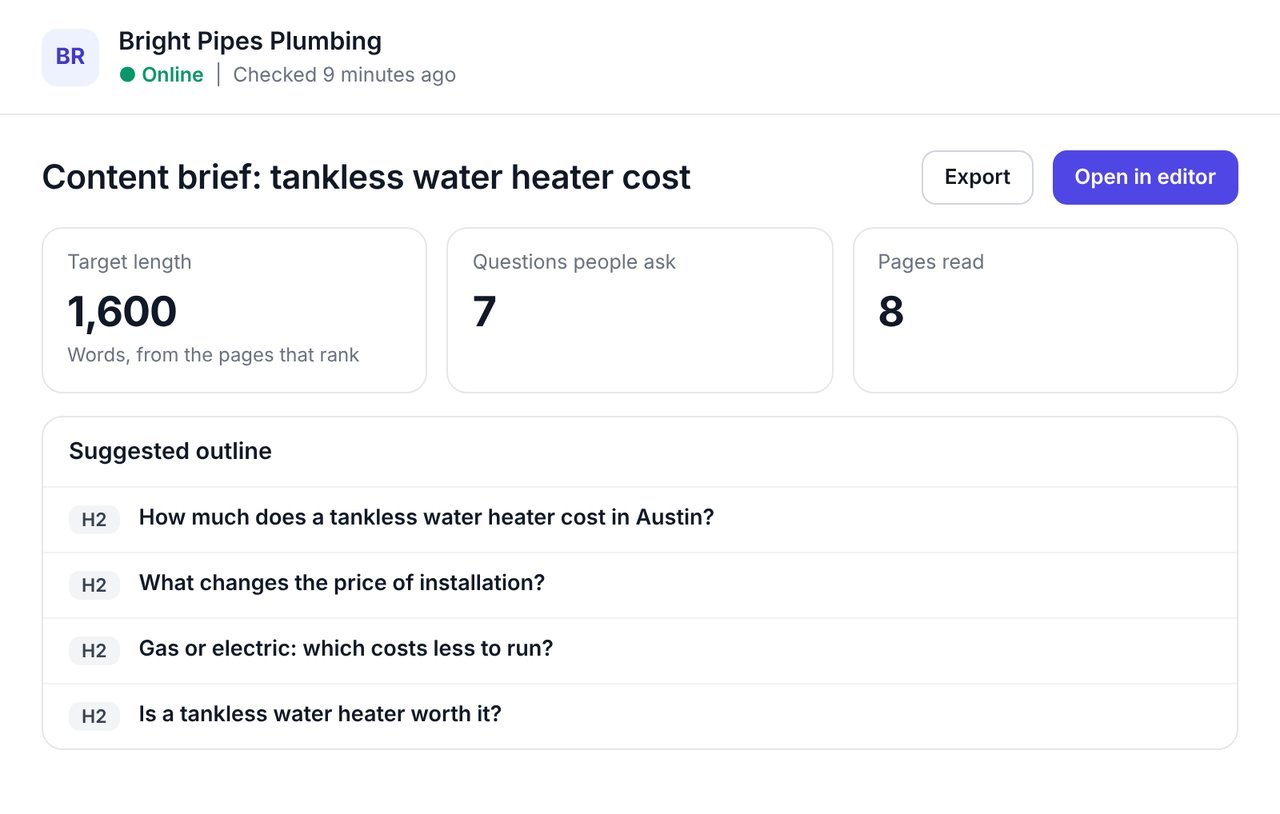
A content brief planned from the pages that rank today: a target length, the questions people ask, and an outline.
The brief is written for your business and your market, so the page you write is planned to compete with what already ranks, not copied from your competitor.
Keyword lists are where content plans go to die. Pages are what you actually write.
Each row is a page a competitor publishes, with its estimated visits.
Every page is held against your own published pages.
For each missing page, the searches it wins and you do not.
Plan a page or plan a better page, from the row.
By status, competitor and words; by visits, searches or topic.
A CSV of exactly what is on screen, and a PDF under your brand.
Every competitor page gets one of four answers. None of them is a guess.
| Status | What it means | What to do |
|---|---|---|
| No page of yours | Nothing on your website is about this topic. | Plan the page. |
| Yours ranks lower | You have a page about it, and it ranks below theirs, with its position. | Plan a better page. |
| You have one | A page of yours is already about it. | Nothing, or keep it fresh. |
| Not clear | The page's address and searches say nothing clear about its topic. | Never called missing on a guess; open it to judge. |
You need the website connected to WPCentrify and up to three competitors.
Pick up to three competitors in your market.
WPCentrify lists the pages that bring each the most search visits.
Start with the pages that bring the most visits.
Open a page to see the searches it wins and you do not.
Press Plan a page to open a content brief, then write it.
Not every missing page is worth writing. A simple filter keeps the plan honest.
For the searches behind the gaps, use the keyword gap, and plan each page with a content brief.
What people ask before they turn it on.
A content gap analysis finds the topics your competitors cover and you do not. WPCentrify does it page by page, from the pages that bring your competitors the most search visits.
A keyword gap lists the searches competitors win and you do not. A content gap lists the pages behind them, so you see what to write rather than a long list of searches.
Choose up to three competitors in WPCentrify and it reads the pages that bring each the most search visits in your own market, with an estimate of the visits.
Each competitor page is held against your own published pages. It shows No page of yours, Yours ranks lower with your position, or You have one.
It means the page's topic could not be worked out with confidence. WPCentrify never calls a page missing on a guess, so you can open it and judge.
Yes. Each missing page has Plan a page, and each page where yours ranks lower has Plan a better page, which open a content brief for the topic.
Up to three at a time.
No. Visits are estimates, and the screen says so. They are best used to compare pages with each other.
Reading competitors' pages uses AI credits from your workspace balance, and reading the same competitors again the same day is free. Looking, filtering and exporting are free. Each plan includes AI credit every month: $1 on Solo, $10 on Studio, $30 on Agency and $75 on Scale, and you can buy more in $15 packs.
The searches competitors win
Read morePlans built from what ranks today
Read moreSearches, difficulty and intent
Read moreSee every tool in one place: WordPress SEO tools for every site you manage.
Connect a site, choose a competitor and plan the first missing page.
Plan prices to be revealed. Keep your data, export any time.