Read from the whole website
Every check uses the links between all the pages, not one page at a time.
The SEO problems that cost rankings are often not on one page but in how pages connect. WPCentrify checks how every website you manage hangs together, the way Google sees it, and says what to fix in plain words.
Included on Studio and up, or a $15 add-on on Solo. Uses no AI credits.
Updated
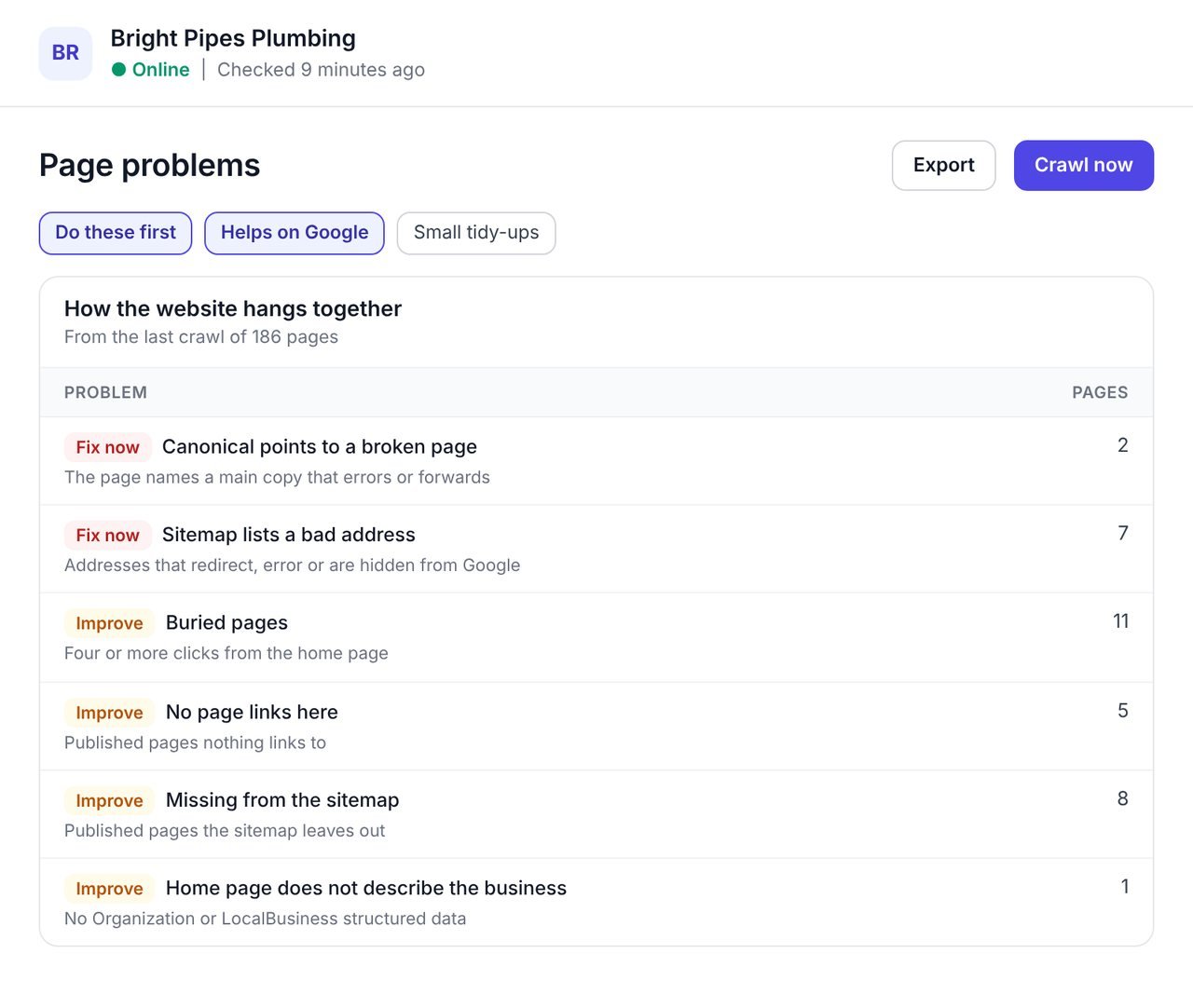
A site structure checker looks at how the pages of a website link to each other, and finds the problems that live between pages: pages buried too deep, pages nothing links to, canonicals that point at broken pages and sitemaps that list the wrong addresses.
Page-by-page checkers miss these, and desktop crawlers find them only when somebody remembers to run one. WPCentrify reads every website you manage on a schedule and works them out from the links between all its pages, so the findings are always current.
Every finding says why it matters and what to do, and fixing one from the dashboard, with a redirect or a link, hides it at once until the next check confirms it.
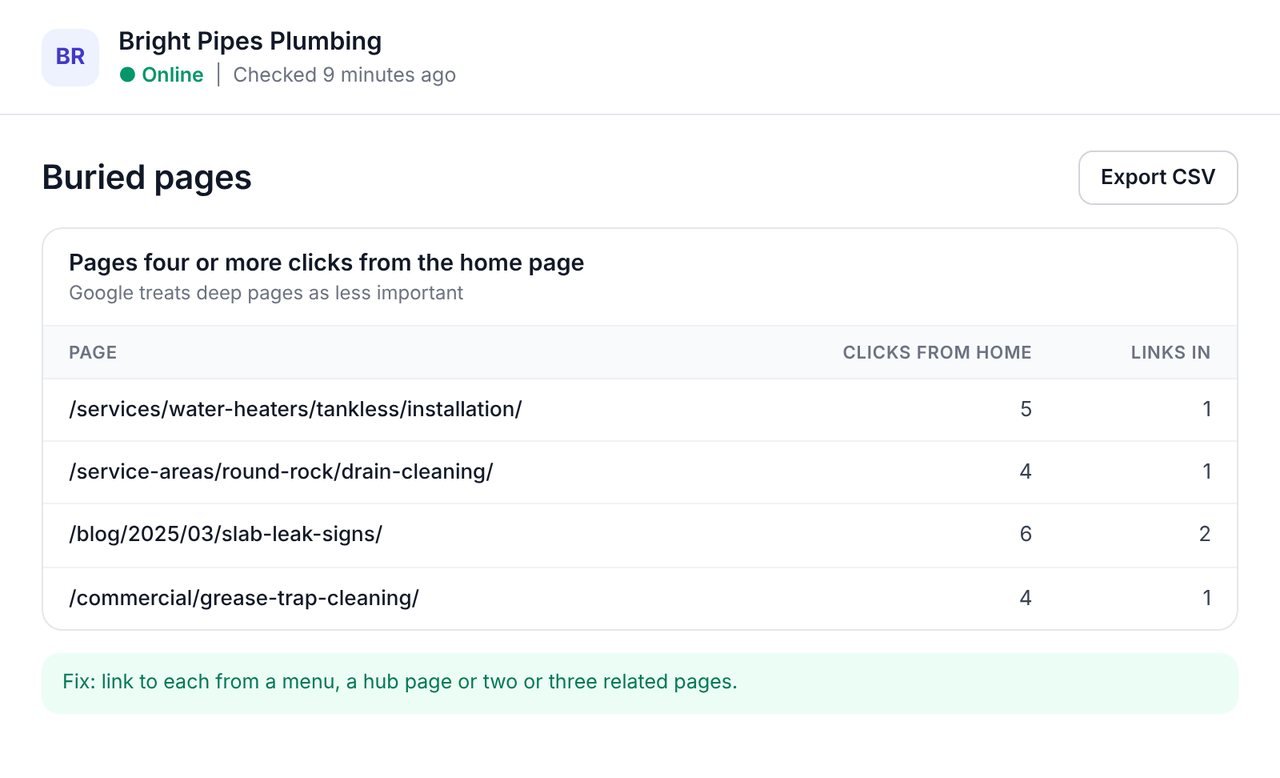
A service page four clicks from the home page, or a landing page no menu links to, is a page Google treats as less important and visits less.
WPCentrify lists them with how many clicks each is from the home page and how many pages link to it. The fix is a link: from a menu, a hub page, or two or three related pages. The internal linking tool suggests where those links can go.
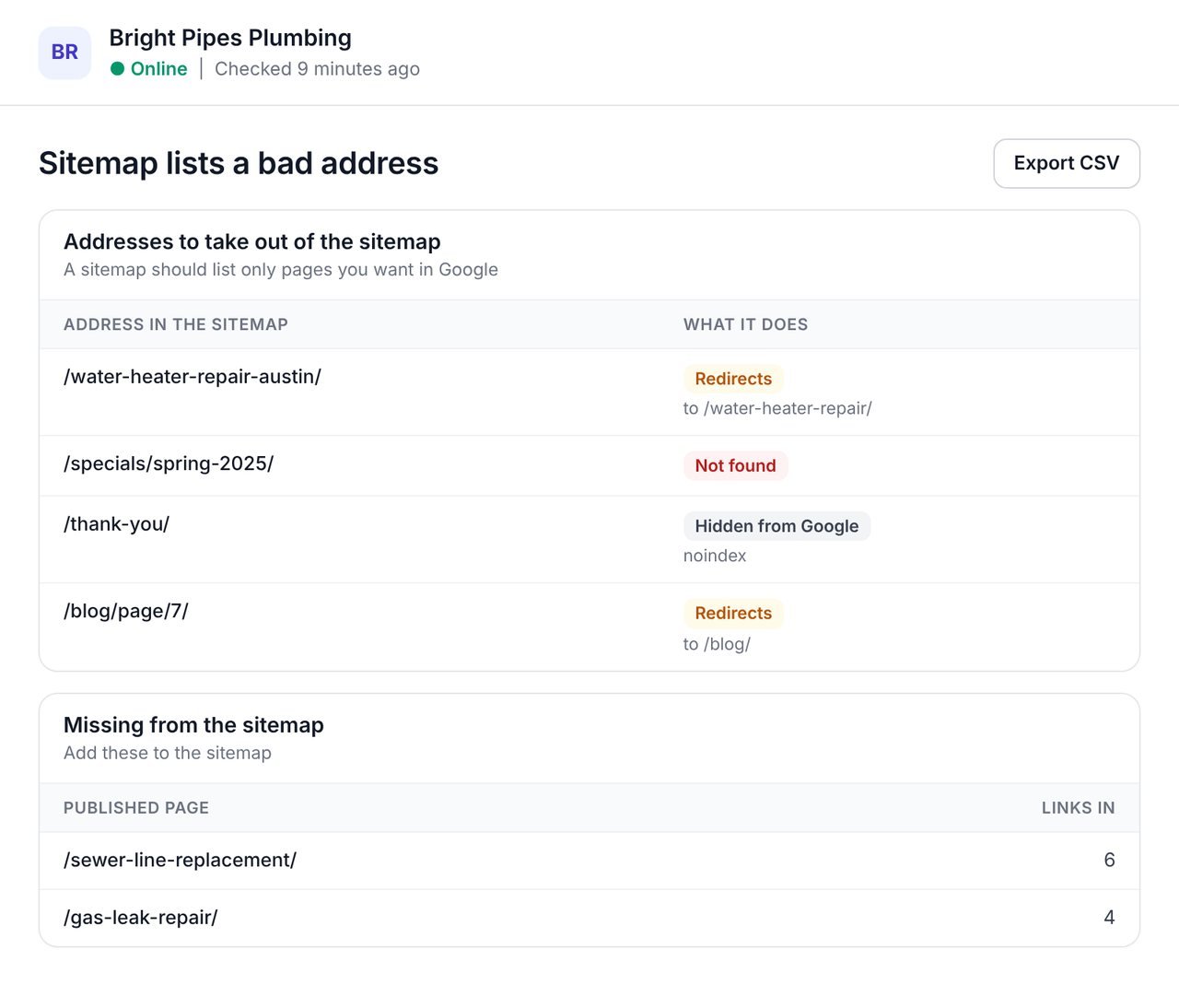
A sitemap that lists redirects and errors, or leaves out real pages, sends Google mixed signals. So does a canonical tag that points at a page that no longer works.
WPCentrify lists each sitemap address that redirects, errors or is hidden from Google, each published page the sitemap leaves out, and each canonical that points somewhere broken, with what to do about it.
Structure decays quietly as pages are added, moved and retired. These are the parts that keep it in view.
Every check uses the links between all the pages, not one page at a time.
Every finding says why it matters and what to do, in words a client can read.
Block AI training and still be cited in AI answers. We tell the two kinds apart.
New checks are worked out from checks you already have. No waiting.
By pile, by check and by page, and every column sorts.
CSV for spreadsheets and a PDF report under your own brand.
Each check sits in Page problems, in the pile that matches how much it matters.
| Check | What it means | What to do |
|---|---|---|
| Buried pages | A page takes four or more clicks to reach from the home page. | Link to it from a menu, a hub page or a related page. |
| Few links in | Only one other page links to it. | Link to it from two or three related pages. |
| No page links here | A published page no other page links to. | Link to it, or retire it if it is no longer needed. |
| Canonical points to a broken page | The page names a main copy that errors, forwards or is hidden from Google. | Point the canonical at the page itself or a page that works. |
| Sitemap lists a bad address | The sitemap lists an address that redirects, errors or is hidden from Google. | Take it out of the sitemap. |
| Missing from the sitemap | A published page the sitemap leaves out. | Add it to the sitemap. |
| The home page does not describe the business | No Organization or LocalBusiness structured data on the home page. | Add the name, logo, address and contact details as structured data. |
| Images with no size set | Images without a width and height make the page jump as it loads. | Set each image's width and height. |
| AI search tools blocked | robots.txt refuses the agents that answer people in AI search. | Allow the answering agents if you want to be cited. |
Connect the website to WPCentrify. The checks run on its regular crawl, so nothing is installed or added.
Go to SEO, Page problems, for the website.
Broken canonicals and bad sitemap addresses come first, because they send Google the wrong signal.
Add links from menus, hub pages and related pages, or retire pages nobody needs.
Take out addresses that redirect or error, and add the published pages it leaves out.
Fixes made from the dashboard disappear at once, and the next crawl confirms them.
There is no single right shape, but the websites that are easy for Google and for people tend to share a few habits.
The SEO audit rolls these into the website's score, and the broken link checker fixes the links that lead nowhere.
What people ask before they turn it on.
A site structure checker looks at how the pages of a website link to each other and finds problems between pages: buried pages, pages nothing links to, broken canonicals, sitemap errors and a home page with no business structured data. WPCentrify runs it on every website you manage.
Click depth is how many clicks it takes to reach a page from the home page. WPCentrify marks a page as buried when it takes four or more clicks.
An orphan page is a published page that no other page on the website links to. Visitors cannot find it by browsing, and search engines treat it as unimportant. WPCentrify lists them as No page links here.
No. A sitemap should list only the pages you want in Google, at their final address. WPCentrify lists sitemap addresses that redirect, error or are hidden from Google so you can take them out.
The page tells Google its main copy is an address that does not work, so Google may index neither. Point the canonical at the page itself or at a working page.
It depends which ones. Refusing the crawlers that collect training data is different from refusing the agents that answer people. WPCentrify flags a robots.txt that refuses the answering agents.
They are worked out from every crawl WPCentrify runs of the website, so they stay current, and new checks apply to past crawls at once.
No. WPCentrify reads the website itself and adds nothing to it.
No. The site structure checks are part of the SEO toolkit and use no AI credits.
Link suggestions you approve, and orphan pages
Read moreA score and the fixes, for every site
Read moreFind the pages AI answers can quote
Read moreSee every tool in one place: WordPress SEO tools for every site you manage.
Connect a site and open Page problems. Broken canonicals and sitemap errors come first.
Plan prices to be revealed. Keep your data, export any time.